Playbook: The AI/Agent Readiness Gate
Use this playbook to help review conditions to be met before an AI workflow, copilot, automation, or agent is allowed to move from pilot into live use.

Before It Goes Live: The AI / Agent Readiness Gate
Use this playbook to decide what must be true before an AI workflow, copilot, automation, or agent is allowed to move from pilot into live use.
In plain English
An AI workflow can look impressive in a demo and still be unsafe, unsupported, unmeasured, or unusable in the business.
Teams are being pushed to deploy agents quickly. The missing step is not always more technology. Often it is basic go-live discipline: owner, context, permissions, fallback, validation, adoption, and value evidence.
How this connects to the sequence
Agent or Not? helped you decide whether the workflow should be Agent, Automation, Assist, or Leave Alone. The Readiness Gate asks a different question: what must be true before it goes live?
Signal linked to this playbook
If nobody knows what happens when the agent is wrong, it is not ready
This Signal translates agent readiness into a simple human question: who catches it when it is wrong?
The five-minute version
- No owner, no go-live.
- No source-of-truth map, no go-live.
- No fallback, no go-live.
- No value baseline, no scale decision.
- No adoption path, no real deployment.
Use this when
- A pilot is about to be rolled out to more users.
- An agent is asking for broader permissions.
- A team says the model is working but cannot explain the operating setup.
- A workflow touches customer, finance, HR, legal, safety, manufacturing, or service decisions.
- Leadership wants to move fast but nobody has written the failure path.
The gate checks
- Business owner: who owns the outcome?
- Workflow scope: what work is changing?
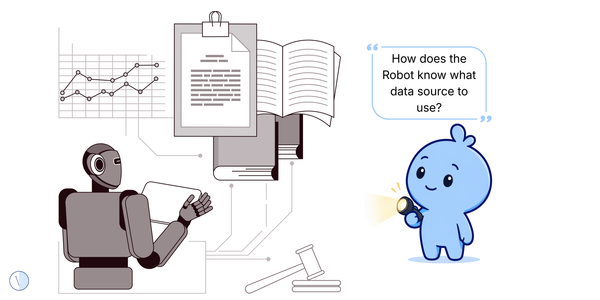
- Context: what does it read and which source wins?
- Permissions: what can it see, write, trigger, or approve?
- Human fallback: who catches mistakes?
- Validation: how was it tested on real work?
- Monitoring: how will errors, usage, and drift be seen?
- Adoption: who needs training or support?
- Value: what number should move?
- Rollback: how do we stop or reduce scope if it goes wrong?
What good looks like
- The workflow has a named business owner and technical owner.
- The agent or tool has clear read/write/action boundaries.
- Users know when to trust it and when to escalate.
- The pilot has success and kill criteria.
- There is a review date before wider rollout.
The first move
Pick three AI workflows that are closest to live use. Run each through the gate as Red / Amber / Green. Only Green moves forward. Amber gets fixed. Red pauses.
Human work signal
A readiness gate does not slow humans down. It makes sure humans know how to supervise, correct, and rely on the system once it touches real work. This list may vary based on industry/application.
What to capture in the worksheet
| # | Field | Why it matters |
|---|---|---|
| 1 | Workflow name | Ensures everyone is uConfirms the workflow works reliably on real tasks.> |
| 2 | Owner | Creates accountability for outcomes and decisions. |
| 3 | Worksteam | Clarifies workflow operating model fit. |
| 4 | Context source | Identifies the Workflow source of truth. |
| 5 | Permissions | Defines workflow display/change/trigger access. |
| 6 | Fallback owner | Ensures a human can intervene if required. |
| 7 | Validation evidence | Confirms the workflow works reliably on real tasks. |
| 8 | Adoption readiness | Verifies users are prepared and trained. |
| 9 | Value baseline | Establishes measurable impact metric. |
| 10 | Gate verdict | Records the go/fix/stop deployment decision. |
Get the lightweight workbook
The public playbook gives you the method. The member workbook gives you the simple working sheet across multiple playbooks.