Guide: Agent Interaction Risk Map
Agent Interaction Risk Map: actions, data, systems, handoffs, logs, stop buttons and owners.

Agent Interaction Risk Map
A simple map for deciding where agents can play, where they can work, and where they need a human standing nearby with the stop button.
Before agents act, map their playground: actions, data, systems, handoffs, logs, stop buttons and owners.
What this guide helps with
This guide helps teams think about agents as acting systems, not just chat windows. It is useful before pilots, before live access, before agent-to-agent workflows and before someone proudly announces that the agent can “just handle it”.
Why now
Agents are moving from demo videos into work. The safer question is not “Can the agent do this?” It is “Where can the agent go, what can it touch, who watches it and how do we stop it if it gets creative?”
The pattern
The pattern is that agents create action risk. Chatbots say the wrong thing while Agents do the wrong thing. That’s why one needs prompts and the other needs boundaries. That means the Agent map has to include boundaries, permissions, logs, handoffs and recovery paths before the agent joins real work.
The check
Start with one narrow purpose, such as “draft supplier follow-up emails” or “collect missing fields for a support ticket”. If the description sounds like “handle operations”, the agent is too broad. Narrow jobs make boundaries easier to design and mistakes easier to notice.
Write down what the agent can do: read, draft, send, approve, update, delete, buy, escalate, schedule or trigger another workflow. A list of actions is more useful than a list of features because risk lives in what the agent can actually change.
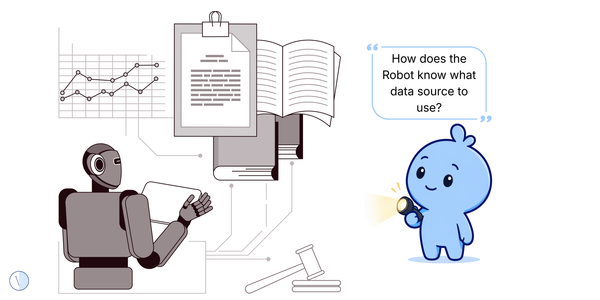
Agents should not wander through every drawer because they are curious. List the data sources: public data, internal documents, customer records, employee data, financial data, code, tickets, emails. Then decide what is allowed, blocked or masked before the pilot becomes habit.
Which systems can the agent touch? Email, CRM, ERP, ticketing, code repositories, finance systems, HR tools or calendars? The more systems it can touch, the more important logs, permissions and rollback become. The fence should match the blast radius.
Decide where a human must review or approve. For example: before customer messages send, before money moves, before files delete, before access changes, before production systems update. A stop point is not anti-agent. It is a seatbelt.
If nobody can reconstruct what happened, the agent is not ready for important work. Logs should show inputs, actions, outputs, tools used, handoffs and human approvals. This is how teams learn without turning every mistake into archaeology.
Do not only test the happy path. Give the agent incomplete data, conflicting instructions, duplicate records, missing approvals and unusual customer requests. If the agent behaves badly in the playground, good. That is much cheaper than discovering it in production.
If one agent passes work to another, write down who owns the outcome. Agent handoffs can make responsibility blurry quickly. “The agent told the other agent” is not a support model. The map should show the human owner at the end of the chain.
Quick examples
| Situation | Better question |
|---|---|
| Sales agent drafts outreach | Can it send emails automatically, or must a human approve before messages reach customers? |
| Finance agent gathers missing data | Can it update records, or only prepare a list for a person to review? |
| Coding agent edits files | Can it delete, commit or deploy, or only suggest changes in a sandbox? |
| Two agents hand work to each other | Who owns the final output, and where is the handoff logged? |
The Satire
An AI agent can automate work and can also automate regret.
Related Vieews paths
Chaos scenes spot the contradiction. Signals name it. Guides give you the next simple move.
Chaos
The Blue Blob and the Little Robot Playground
The discovery scene that started this thread.
Signal
Agents Need Boundaries Before Autonomy
Use the signal when you want the pattern named clearly.
Playbook
Readiness Gate
Use the heavier structure when you need the deeper lens.
Useful context
This guide keeps agents practical. A playground is not a delay tactic; it is where the team learns what boundaries are needed before the agent meets real work.
These are Vieews, not bibles. Use them as basic lenses, not legal advice, investment advice, or a replacement for doing your own investigation. If a line makes the spreadsheet uncomfortable, excellent: ask one more question and tug on that thread.