Guide: AI Data Boundary Check
AI Data Boundary Check - Before connecting AI to shared knowledge: List the rooms; Mark old sources; Find owners; Check purpose; Test uncomfortable questions; Label stale knowledge

AI Data Boundary Check
A practical check for teams connecting AI to shared information, old folders, archives or knowledge bases.
Before giving AI access to shared knowledge, check which doors should still be open.
What this guide helps with
This guide helps teams check whether an AI tool can see information that is outdated, too broad, too sensitive or no longer owned. It is useful before connecting copilots, chatbots, search assistants or internal agents to shared workspaces.
Why now
AI makes old access more visible. A forgotten folder may have been harmless when nobody searched it. Once AI can retrieve, summarise and combine it, that same folder becomes active again. The work is not only connecting AI. The work is checking the room before opening the door.
The pattern
The pattern is that access expands quietly, while accountability stays vague. People remember the tool rollout. They do not always remember every shared drive, archive folder, inherited permission or old document that the tool can now read.
The check
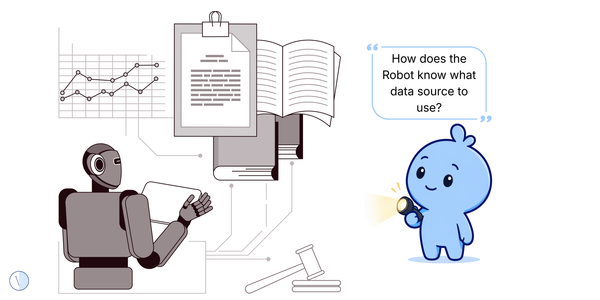
Write down each place the AI can search or read: SharePoint, Teams, Drive, email, document libraries, CRM notes, ticket systems, wikis and old project folders. Do not stop at “company knowledge base.” Name the rooms. A vague source list is how old keys stay invisible.
For each source, mark whether it is current working knowledge, old reference material, confidential material, local-team material or unclear. For example, a past acquisition folder may be useful context, but it should not quietly become the global answer for the whole company.
If nobody owns a folder, the AI should not be the first confident reader. Name who can update, retire, restrict or explain the content. Ownerless knowledge becomes dangerous when it starts answering questions with authority.
A system may technically allow access, but the business purpose may not justify it. Ask: should this AI use this content for all users, some users, or only under specific prompts? If the answer is fuzzy, the boundary is fuzzy too.
Ask realistic questions that might pull old or sensitive material. For example: “What is our policy on supplier discounts?” or “Summarise the old acquisition process.” If the AI uses a stale document, that is not a model problem only. It is a source-boundary problem.
If content is old, local, replaced or only relevant to one region, label it in the document title or metadata. AI does not understand office folklore. It needs visible clues that humans forgot to write down.
Do not check once and declare victory. Review connected sources quarterly or when a new AI tool, team, acquisition, policy or region is added. Access boundaries need maintenance because work keeps moving.
Quick examples
| Situation | Better question |
|---|---|
| AI connected to old SharePoint | Which folders are current, archived, local, confidential or ownerless? |
| Chatbot answers from a retired policy | Who owns expiry labels and replaced-by links? |
| AI search includes acquisition documents | Should those documents inform global answers or remain local context? |
| A team wants to connect email archives | What data is sensitive, personal, stale or not appropriate for general retrieval? |
The Satire
If a folder has not been opened since 2018, perhaps ask why before giving it a robot tour guide.
Related Vieews paths
Chaos scenes spot the contradiction. Signals name it. Guides give you the next simple move.
Chaos
The Blue Blob and the Old Keys
The discovery scene that started this thread.
Signal
Access Is Not The Same As Permission
Use the signal when you want the pattern named clearly.
Playbook
Context Map
Use the heavier structure when needed.
Useful context
Use this guide when the AI can see more than people realise. The goal is not to hide everything. It is to make sure the right rooms are open for the right reasons.
These are Vieews, not bibles. Use them as simple lenses, not legal advice, investment advice, HR advice or a replacement for doing your own investigation. If a line makes the spreadsheet uncomfortable, excellent. Ask one more question and tug on that thread.