Guide: How Many Times Is The Same Data Re-entered?
Small guide to check if your AI draft waits longer than the old manual draft. How much approval time is required for AI generated outputs?

How Many Times Is This Re-entered?
A simple manual data-entry check for following one piece of information as it is copied, reformatted, downloaded, uploaded and typed again.
The systems may be connected with the parallel tasks travelling manually around it.
Follow one piece of information from first entry to final use.
What this Guide helps with
Use it when dashboards, integrations, CRM, ERP, HR, finance or workflow tools exist, but someone still retypes, reformats or carries the same information between them.
Keep it small
Pick one recurring record or field but don’t attempt to map the entire integration landscape today. Follow one customer, employee, order, forecast line, invoice or access change and see where the keyboard takes over.
The Pattern behind this Guide
Copy-Paste Olympics appears when the same information is manually re-entered between systems often enough to become normal work.
The check
Choose something concrete: a customer record, employee role, order number, forecast value, invoice status, supplier update or AI-generated result.
Record the first system, form, spreadsheet, inbox or person that receives the information. This is the start of the re-entry trail.
Write down each place where someone downloads, copies, pastes, retypes, reformats, creates new manual dashboards or uploads the same information again.
Separate active copying time from waiting time between systems or teams. A five-minute task can still create a three-day gap.
Look for renamed fields, missing rows, rounding, different formats, local corrections, new assumptions or values that no longer match.
If the information stops moving, the manual handoff may also be carrying hidden ownership or key-person dependency.
Use this small log
| Handoff stop | What is copied? | Why? | Time / what can go wrong? |
|---|---|---|---|
| CRM to invoicing | New customer and deal value | No live connection | 12 minutes per deal; values can differ |
| Dashboard to Excel | Weekly forecast totals | Meeting template | 45 minutes; version confusion |
| HR to access tool | Role and manager | Separate system | Up to 3 days; access lag |
| AI draft to ticketing | Response text and category | No workflow integration | 5 minutes; context can be lost |
Then ask: did the information move, or did a person move it?
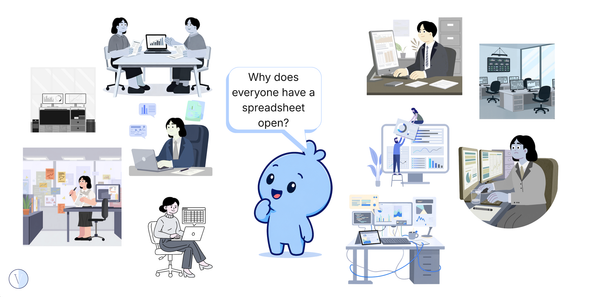
Where manual re-entry commonly hides
Quick examples
| What you see | Question to ask |
|---|---|
| The same customer is entered into CRM and invoicing | What prevents one authoritative handoff? |
| A dashboard is exported to Excel before every meeting | Is the spreadsheet solving a missing function, a trust problem or both? |
| HR updates a role and IT retypes it days later | What creates the lag, and what risk sits inside the gap? |
| An AI output is pasted into the ticketing tool | Which context, review or ownership step is missing from the workflow? |
The Satire
The integration was described as seamless; but several data seamstresses and seamsters exist beside it.
Field Note
The Blue Blob and the Finished Transformation
The room where the systems were connected and the numbers still travelled by hand.
Pattern quiz
Forty Integrations. Why Is Someone Still Copying the Same Data by Hand?
Five quick questions about manual re-entry and keyboard-powered integration.
More Patterns
Keep spotting the strange work.
Browse more quizzes hiding between new systems, old tools and very patient people.
Want the deeper version when it lands?
The deeper Copy-Paste Olympics Insight and Manual Re-entry Tracker are coming later. Subscribe for the next Pattern drop.
This is a lightweight Guide, not an organisational diagnosis or instruction to remove required controls. Some manual handoffs exist for good reasons. The useful question is whether the repeated step, owner and failure point are still clear.