Guide: A Parallel Process Check On Why Multiple Processes Are Live
A simple parallel-process check for following one piece of work through the old and new route to see why both are still running.

Why Are We Still Running Multiple Processes?
A simple parallel-process check for following one piece of work through the old and new route to see why both are still running.
A controlled fallback has an owner, a reason and an end but Purgatory usually has a recurring endless meeting.
What this Guide helps with
Use it when teams enter the same information twice, compare two outputs, maintain the old workflow “just in case” or keep a manual route beside the new system.
Keep it small
Pick one transaction, report, request or decision to be mapped, not the entire transformation. Follow one item through all process routes; old, new, etc.
The Pattern behind this Guide
Parallel Process Purgatory: this public Pattern post contains the quiz that leads into this Guide.
The check
Choose one invoice, customer request, report, approval, order, forecast or employee change that enters both the old and new process.
Record each step, system, spreadsheet, inbox and person involved in the old route and the new route.
Is it fallback, trust, missing functionality, unresolved exceptions, reporting, habit or an unmade decision?
Note where the two routes disagree, duplicate work or create reconciliation.
Write the observable conditions that would allow the old route to stop: accuracy, coverage, confidence, exception handling or control evidence.
Name who decides whether the criteria are met and when the decision will be reviewed.
Use this small log
| Work item | Old route | New route | Why both still run |
|---|---|---|---|
| Supplier invoice | Email and spreadsheet tracker | Workflow portal | Exceptions not trusted in portal |
| Weekly forecast | Local workbook | ERP planning module | Leadership still uses local phasing |
| Access request | Shared mailbox | Identity workflow | Urgent cases still handled manually |
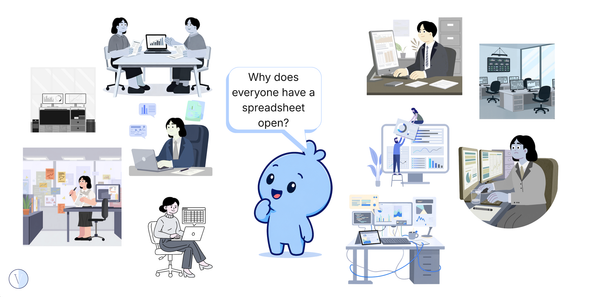
Where this commonly hides
Quick examples
| What you see | Question to ask |
|---|---|
| The same item is entered twice | What decision or capability is preventing one route from becoming authoritative? |
| The old route is called a contingency | What event activates it, and what event retires it? |
| Teams compare two outputs every week | Who owns resolving the source of disagreement? |
| Nobody knows when the old process will stop | What exit test and decision date are missing? |
The Satire
The old process was retained temporarily and gets renewed automatically every ops review cycle.
Field Note
The Blue Blob and the Finished Transformation
The room where the strange post-transformation clues appear.
Pattern quiz
The New Process Went Live. Why Is the Old One Still Clocking In?
Five quick questions about duplicated work.
More Patterns
Keep spotting what returns.
Use the public Patterns tag/archive to keep spotting what repeats.
Want the deeper version when it lands?
The deeper Parallel Process Purgatory Insight and future Toolkit are coming later. Subscribe for the next Pattern drop.
This is a lightweight Guide, not an organisational diagnosis or an instruction to remove required fallbacks. Parallel running can be useful during transition. The useful question is whether the reason, owner, end date and exit criteria remain explicit.